
HakoCut · Familiar como CapCut · Mac · Windows · Linux
Edite como o CapCut. Termine em uma fração do tempo.
Fale com uma timeline multipista real — encontre stock, corte silêncios, transforme áudio em um vídeo rápido ou gere imagens e vídeos no seu computador por chat — sem cobrança por geração local. Sua mídia fica local salvo se você ativar a sincronização.
- ·Exportação grátis · sem marca d'água
- ·Editar por chat · revise cada passo
DEMO: chat → stock → exportar
Para quem
Feito para quem publica vídeo toda semana
01
Creators with too much footage
Too many clips. Not enough time. Clean, cut, and ship without babysitting every scrub.
02
Editors tired of hunting footage
Stop tab-switching through stock sites. Describe what you need and place it on the timeline.
03
Anyone with audio who needs a video tonight
Drop a voiceover. Get an animated explainer with changing images — or a stock-footage cut — fast.
04
Anyone who wants AI media without a meter running
Generate images and videos on your computer or iPhone by chatting. Local runs don't cost a dime per generation.
Capacidades
Quatro formas de o HakoCut terminar o corte
Raw footage → usable cut
Describe the cut. Remove dead air, tighten boundaries, land on a real editable timeline. Review each step before it applies.
Chat the cut → review steps → editable timeline
Stop hunting stock
Ask for the B-roll you need. HakoCut finds and places footage so you keep editing instead of searching.
Describe B-roll → stock found → placed on timeline
Audio → quick video
One audio file in. Animated explainer with image changes — or stock footage synced to the VO. Export when it looks right.
Drop audio → images or stock synced → export
Chat → images & video on your machine
Generate images and videos on your computer or iPhone by chatting — no per-generation fees, no cloud bill for local runs. Describe what you want; it lands on the timeline.
Chat the look → generate on-device → place on timeline
O editor
Familiar como CapCut. Pro quando precisar.
HakoCut is built to feel familiar — CapCut-like editing so you don't relearn the craft. The difference: you can talk to the timeline, generate images and videos on-device by chatting, and clear the busywork without giving up a real multi-track editor.
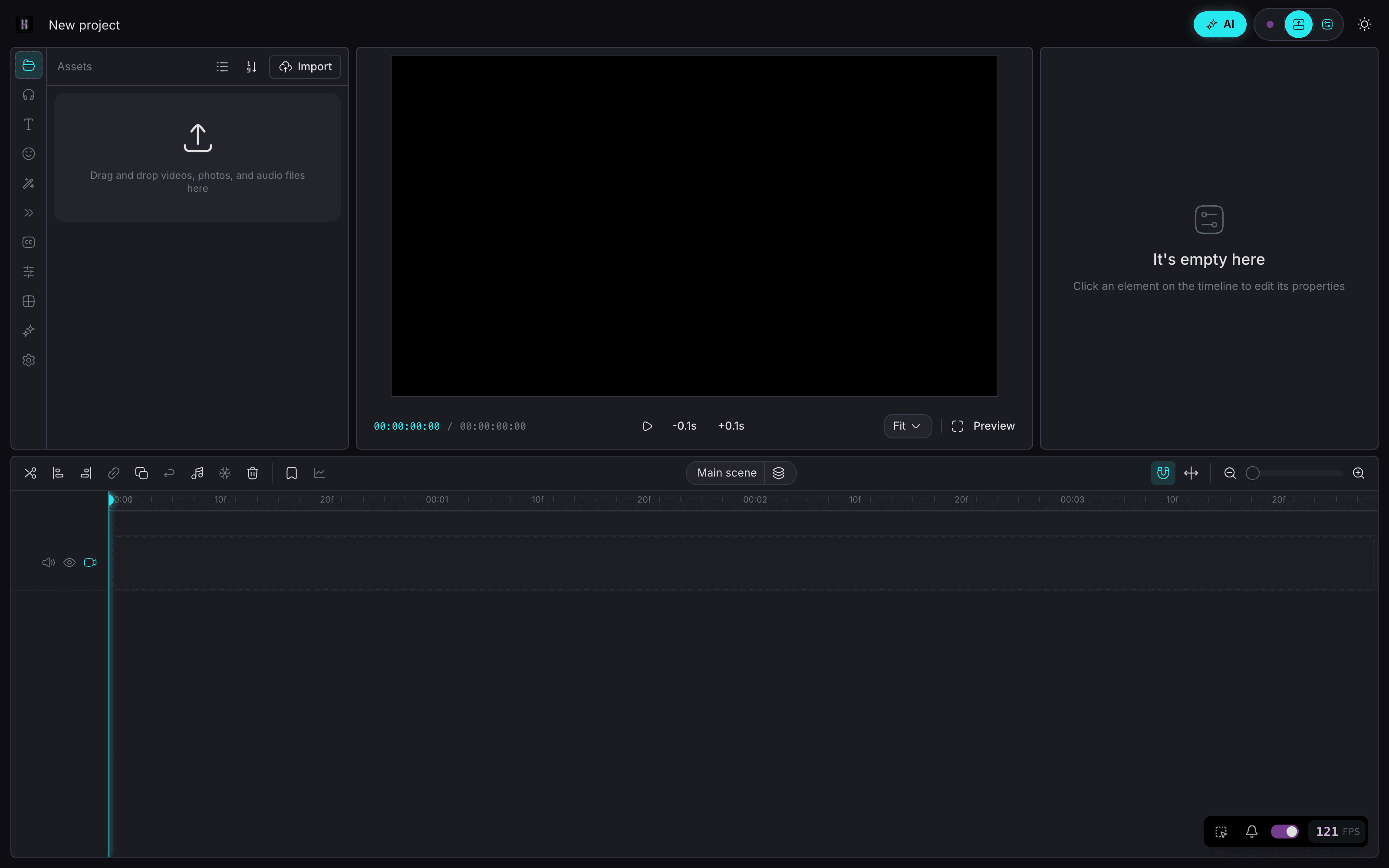
- Same mental model: timeline, clips, export
- Chat when you want speed; timeline when you want control
- Ask mode = read-only Q&A over your footage (no accidental edits)
- Edit mode = reviewable workflows you approve step by step
- Chat → generate images & video on your machine — no per-gen bill
Um projeto
Comece no telefone. Termine no desktop.
Core agent runs on your devices. Chat to generate images on iPhone and video on Mac — on your hardware, without paying per generation. Keep projects local-first. Sync only if you want the same project on phone and desktop.
- On-device chat agent on iPhone, Android, Mac, and Windows
- Chat to generate images on your own machine — while you edit
- Chat to generate video locally on Mac — no cloud meter
- Local-first media — your files stay on device by default
- Cross-device projects when you sign in (optional)
Modo chat
Pergunte primeiro. Edite quando estiver pronto.
01
Ask what's in your footage
Read-only Q&A — explore clips without touching the timeline.
02
Switch to Edit — get a numbered plan
Describe the cut, stock, or image/video to generate. Review before anything runs.
03
Run one step, several, or all
Approve what you want — including on-device gens. Undo anytime.
04
Export free, no watermark
Ship when the timeline looks right. Local gen didn't meter you.
Preços
Editar é grátis. Pro custa $59 por ano.
Editor grátis para sempre, sem marca d'água. Pro adiciona sincronização na nuvem, memória de edição profunda e o agente completo.
Grátis
$0
- —Editor familiar como CapCut
- —Edição em timeline multipista
- —Exportação sem marca d'água
- —Chat → geração de imagem e vídeo no dispositivo
Pro · tarifa fundador
$89$59 por ano
- —Sincronização em todos os seus aparelhos
- —Memória de edição profunda + padrões
- —Agente completo de edição por chat
- —Tarifa fundador vitalícia
Ou $10.99 por mês. Vitalício por $300 uma vez.
Tarifa fundador travada para sempre — continua $59/ano enquanto você mantiver a assinatura. Cancele quando quiser. A geração roda no seu próprio hardware, então não há cobrança por geração.
Perguntas frequentes
CapCut é um ótimo editor. O HakoCut mantém essa familiaridade e adiciona edição por conversa em uma timeline multipista real — com exportação grátis e sem marca d'água.
Não. O modo Ask é somente leitura. O modo Edit devolve um plano para você revisar. Execute passo a passo ou de uma vez. Desfaça quando quiser.
Sim. Descreva o que quer no chat. Geração de imagem pode rodar no iPhone; vídeo localmente no Mac hoje. Execuções locais não cobram por geração.
Sim para o agente principal no telefone e desktop. Imagens no iPhone. Vídeo local no Mac; outras plataformas podem usar chaves de API.
Geração local de imagem e vídeo não cobra por geração. Nuvem opcional pode usar suas chaves de API. Exportação continua grátis sem marca d'água.
Sim. Sem marca d'água.
Local primeiro por padrão. A sincronização é opt-in ao entrar em vários dispositivos.
O HakoCut se baseia em uma fundação estilo OpenCut / CapCut para o editor parecer familiar e a curva de aprendizado ficar baixa.
Sim. Pro custa $59/ano na tarifa fundador, ou $10.99/mês. A tarifa fundador fica travada enquanto você mantiver a assinatura. Editar e exportar continuam grátis para sempre, e há uma licença vitalícia de $300 em pagamento único.