
HakoCut · CapCutライク · Mac · Windows · Linux
CapCutのように編集。 短時間で仕上げる。
本物のマルチトラックタイムラインに話しかける — 素材探し、無音カット、音声から動画、自分のパソコンでのチャット生成。ローカル生成は従量なし。同期を選ばない限りメディアは端末に残ります。
- ·無料書き出し · 透かしなし
- ·チャット編集 · 各ステップを確認
デモ: チャット編集 → 素材配置 → 書き出し
誰向け
毎週動画を出す人のために
01
Creators with too much footage
Too many clips. Not enough time. Clean, cut, and ship without babysitting every scrub.
02
Editors tired of hunting footage
Stop tab-switching through stock sites. Describe what you need and place it on the timeline.
03
Anyone with audio who needs a video tonight
Drop a voiceover. Get an animated explainer with changing images — or a stock-footage cut — fast.
04
Anyone who wants AI media without a meter running
Generate images and videos on your computer or iPhone by chatting. Local runs don't cost a dime per generation.
できること
HakoCutがカットを仕上げる4つの方法
Raw footage → usable cut
Describe the cut. Remove dead air, tighten boundaries, land on a real editable timeline. Review each step before it applies.
Chat the cut → review steps → editable timeline
Stop hunting stock
Ask for the B-roll you need. HakoCut finds and places footage so you keep editing instead of searching.
Describe B-roll → stock found → placed on timeline
Audio → quick video
One audio file in. Animated explainer with image changes — or stock footage synced to the VO. Export when it looks right.
Drop audio → images or stock synced → export
Chat → images & video on your machine
Generate images and videos on your computer or iPhone by chatting — no per-generation fees, no cloud bill for local runs. Describe what you want; it lands on the timeline.
Chat the look → generate on-device → place on timeline
エディター
CapCutライク。必要なときプロ級。
HakoCut is built to feel familiar — CapCut-like editing so you don't relearn the craft. The difference: you can talk to the timeline, generate images and videos on-device by chatting, and clear the busywork without giving up a real multi-track editor.
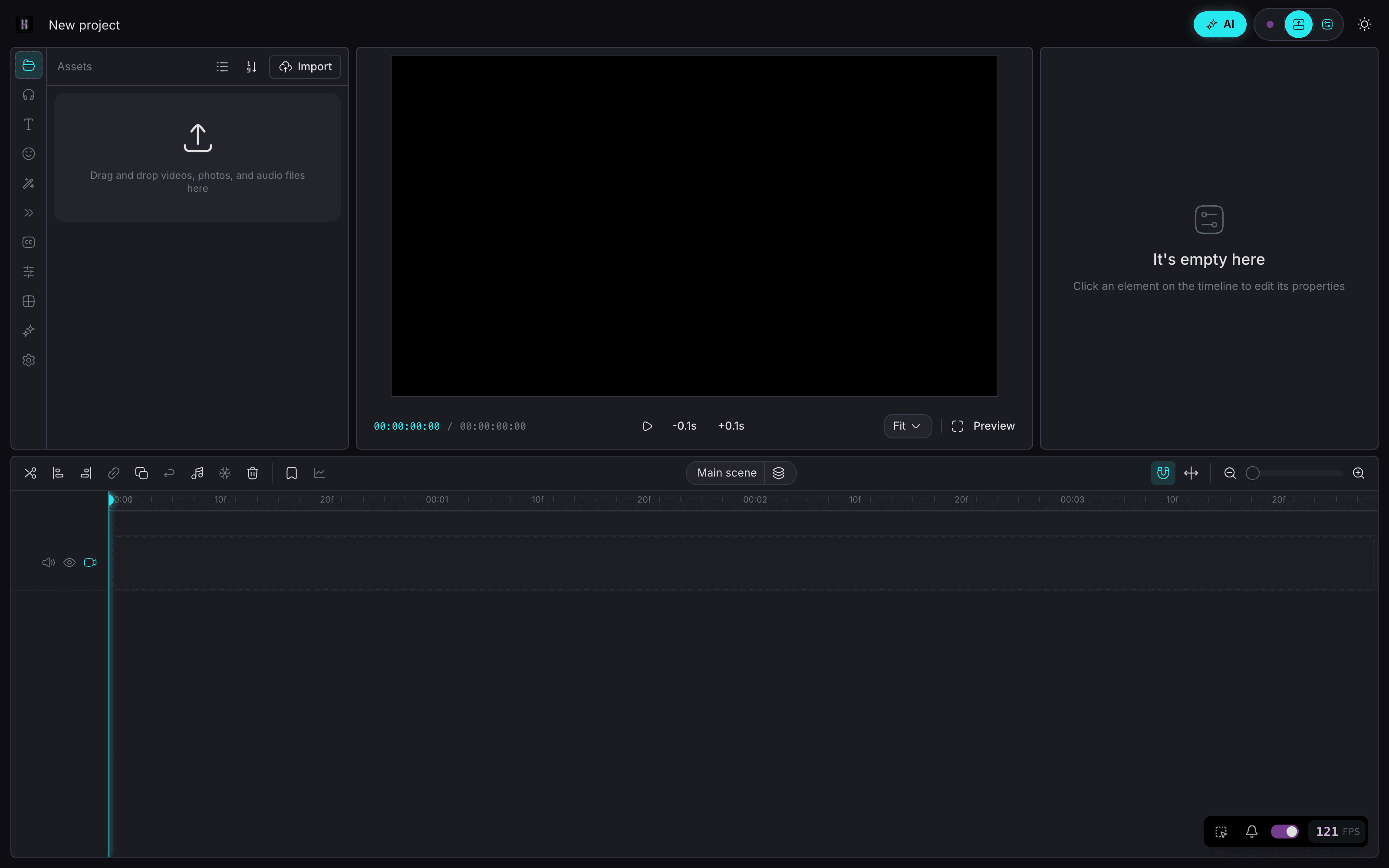
- Same mental model: timeline, clips, export
- Chat when you want speed; timeline when you want control
- Ask mode = read-only Q&A over your footage (no accidental edits)
- Edit mode = reviewable workflows you approve step by step
- Chat → generate images & video on your machine — no per-gen bill
ひとつのプロジェクト
スマホで始めて。デスクトップで仕上げ。
Core agent runs on your devices. Chat to generate images on iPhone and video on Mac — on your hardware, without paying per generation. Keep projects local-first. Sync only if you want the same project on phone and desktop.
- On-device chat agent on iPhone, Android, Mac, and Windows
- Chat to generate images on your own machine — while you edit
- Chat to generate video locally on Mac — no cloud meter
- Local-first media — your files stay on device by default
- Cross-device projects when you sign in (optional)
チャットモード
まず聞く。準備できたら編集。
01
Ask what's in your footage
Read-only Q&A — explore clips without touching the timeline.
02
Switch to Edit — get a numbered plan
Describe the cut, stock, or image/video to generate. Review before anything runs.
03
Run one step, several, or all
Approve what you want — including on-device gens. Undo anytime.
04
Export free, no watermark
Ship when the timeline looks right. Local gen didn't meter you.
料金
編集は無料です。 Proは年間$59。
エディタはずっと無料、透かしなし。Proはクラウド同期、深い編集メモリ、フル機能の対話編集エージェントを追加します。
無料
$0
- —CapCutライクなエディタ
- —マルチトラックのタイムライン編集
- —透かしなしの書き出し
- —チャット→端末上での画像・動画生成
Pro・ファウンダー価格
$89$59 /年
- —所有する全デバイスでクラウド同期
- —深い編集メモリと名前付きパターン
- —フル機能の対話編集エージェント
- —ファウンダー価格を永久固定
または月額$10.99。買い切りは$300。
ファウンダー価格は永久固定 — サブスクリプションを継続する限り年間$59のままです。いつでも解約可能。生成はご自身のハードウェアで実行されるため、生成ごとの課金はありません。
FAQ
CapCutは優れた編集アプリです。HakoCutはその馴染みやすさを保ちつつ、本物のマルチトラック上で会話編集を追加 — 無料書き出し、透かしなし。
いいえ。Askモードは読み取り専用。Editモードは確認できるプランを返します。ステップごと、または一括実行。いつでも元に戻せます。
はい。チャットで要望を書いてください。画像はiPhoneのオンデバイス、動画は今日Macローカル。ローカル実行は従量課金なし。
スマホとデスクトップのコアエージェントははい。画像はiPhone。動画はMacローカル。他プラットフォームはAPIキーを使う場合があります。
端末上のローカル画像・動画生成は従量課金しません。任意のクラウドはご自身のAPIキーを使う場合があります。書き出しは透かしなしで無料のまま。
はい。透かしなし。
デフォルトはローカル優先。同期は複数端末でサインインしたときのオプトインです。
HakoCutはOpenCut / CapCutライクな基盤の上にあり、馴染みやすく学習コストを低くしています。
はい。Proはファウンダー価格で年間$59、または月額$10.99です。ファウンダー価格はサブスクリプションを継続する限り永久固定です。編集と書き出しはずっと無料で、更新したくない場合は$300の買い切りライセンスもあります。