
HakoCut · Familier comme CapCut · Mac · Windows · Linux
Montez comme CapCut. Terminez en une fraction du temps.
Parlez à une vraie timeline multipiste — trouvez du stock, coupez les silences, transformez l'audio en une vidéo rapide, ou générez images et vidéos sur votre ordinateur par chat — sans frais par génération locale. Vos médias restent locaux sauf si vous activez la sync.
- ·Export gratuit · sans filigrane
- ·Monter par chat · validez chaque étape
DÉMO : chat → stock → export
Pour qui
Conçu pour ceux qui livrent de la vidéo chaque semaine
01
Creators with too much footage
Too many clips. Not enough time. Clean, cut, and ship without babysitting every scrub.
02
Editors tired of hunting footage
Stop tab-switching through stock sites. Describe what you need and place it on the timeline.
03
Anyone with audio who needs a video tonight
Drop a voiceover. Get an animated explainer with changing images — or a stock-footage cut — fast.
04
Anyone who wants AI media without a meter running
Generate images and videos on your computer or iPhone by chatting. Local runs don't cost a dime per generation.
Capacités
Quatre façons dont HakoCut termine le montage
Raw footage → usable cut
Describe the cut. Remove dead air, tighten boundaries, land on a real editable timeline. Review each step before it applies.
Chat the cut → review steps → editable timeline
Stop hunting stock
Ask for the B-roll you need. HakoCut finds and places footage so you keep editing instead of searching.
Describe B-roll → stock found → placed on timeline
Audio → quick video
One audio file in. Animated explainer with image changes — or stock footage synced to the VO. Export when it looks right.
Drop audio → images or stock synced → export
Chat → images & video on your machine
Generate images and videos on your computer or iPhone by chatting — no per-generation fees, no cloud bill for local runs. Describe what you want; it lands on the timeline.
Chat the look → generate on-device → place on timeline
L'éditeur
Familier comme CapCut. Pro quand il le faut.
HakoCut is built to feel familiar — CapCut-like editing so you don't relearn the craft. The difference: you can talk to the timeline, generate images and videos on-device by chatting, and clear the busywork without giving up a real multi-track editor.
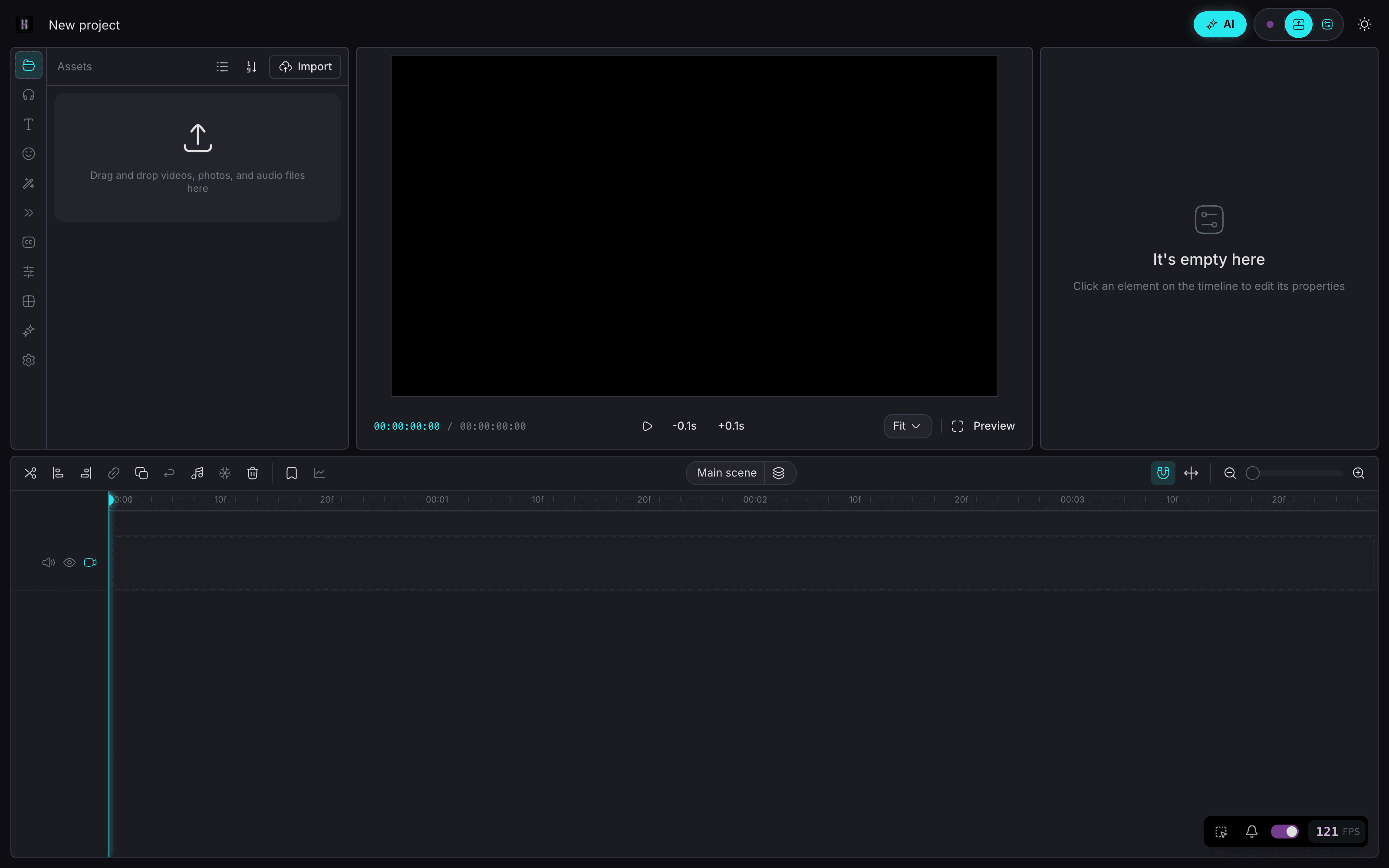
- Same mental model: timeline, clips, export
- Chat when you want speed; timeline when you want control
- Ask mode = read-only Q&A over your footage (no accidental edits)
- Edit mode = reviewable workflows you approve step by step
- Chat → generate images & video on your machine — no per-gen bill
Un projet
Commencez sur téléphone. Finissez sur desktop.
Core agent runs on your devices. Chat to generate images on iPhone and video on Mac — on your hardware, without paying per generation. Keep projects local-first. Sync only if you want the same project on phone and desktop.
- On-device chat agent on iPhone, Android, Mac, and Windows
- Chat to generate images on your own machine — while you edit
- Chat to generate video locally on Mac — no cloud meter
- Local-first media — your files stay on device by default
- Cross-device projects when you sign in (optional)
Mode chat
Demandez d'abord. Montez quand vous êtes prêt.
01
Ask what's in your footage
Read-only Q&A — explore clips without touching the timeline.
02
Switch to Edit — get a numbered plan
Describe the cut, stock, or image/video to generate. Review before anything runs.
03
Run one step, several, or all
Approve what you want — including on-device gens. Undo anytime.
04
Export free, no watermark
Ship when the timeline looks right. Local gen didn't meter you.
Tarifs
Le montage est gratuit. Pro coûte $59 par an.
Éditeur gratuit pour toujours, sans filigrane. Pro ajoute la sync cloud, une mémoire de montage profonde et l'agent complet.
Gratuit
$0
- —Éditeur familier façon CapCut
- —Montage sur timeline multipiste
- —Export sans filigrane
- —Chat → génération d'images et vidéos sur l'appareil
Pro · tarif fondateur
$89$59 par an
- —Sync cloud sur tous vos appareils
- —Mémoire de montage profonde + motifs nommés
- —Agent complet de montage par chat
- —Tarif fondateur à vie
Ou $10.99 par mois. À vie : $300 en une fois.
Tarif fondateur verrouillé à vie — il reste à $59/an tant que vous gardez l'abonnement. Annulable à tout moment. La génération tourne sur votre propre matériel, donc aucun frais par génération.
Open the timeline. Talk the busywork away.
Montage et export gratuits pour toujours
FAQ
CapCut est un excellent éditeur. HakoCut garde ce feeling familier et ajoute le montage par conversation sur une vraie timeline multipiste — export gratuit, sans filigrane.
Non. Le mode Ask est en lecture seule. Le mode Edit renvoie un plan à valider. Exécutez étape par étape ou d'un coup. Annulez à tout moment.
Oui. Décrivez ce que vous voulez. Les images peuvent tourner on-device sur iPhone ; la vidéo localement sur Mac aujourd'hui. Les runs locaux ne facturent pas par génération.
Oui pour l'agent principal sur téléphone et desktop. Images sur iPhone. Vidéo locale sur Mac ; d'autres plateformes peuvent utiliser des clés API.
La génération locale image/vidéo ne facture pas par génération. Le cloud optionnel peut utiliser vos clés API. L'export reste gratuit sans filigrane.
Oui. Sans filigrane.
Local-first par défaut. La sync est opt-in à la connexion multi-appareils.
HakoCut s'appuie sur une base style OpenCut / CapCut pour un éditeur familier et une courbe d'apprentissage basse.
Oui. Pro coûte $59/an au tarif fondateur, ou $10.99/mois. Le tarif fondateur est verrouillé à vie tant que vous gardez l'abonnement. Le montage et l'export restent gratuits pour toujours, et une licence à vie à $300 en paiement unique existe aussi.