
HakoCut · Vertraut wie CapCut · Mac · Windows · Linux
Schneiden wie CapCut. In einem Bruchteil der Zeit fertig.
Sprich mit einer echten Multitrack-Timeline — Stock finden, Stille schneiden, Audio schnell zu Video, oder Bilder und Videos per Chat auf deinem Computer — ohne lokale Generierungsgebühren. Deine Medien bleiben lokal, außer du aktivierst Sync.
- ·Kostenloser Export · kein Wasserzeichen
- ·Per Chat schneiden · jeden Schritt prüfen
DEMO: Chat-Schnitt → Stock → Export
Für wen
Für Leute, die jede Woche Video shippen
01
Creators with too much footage
Too many clips. Not enough time. Clean, cut, and ship without babysitting every scrub.
02
Editors tired of hunting footage
Stop tab-switching through stock sites. Describe what you need and place it on the timeline.
03
Anyone with audio who needs a video tonight
Drop a voiceover. Get an animated explainer with changing images — or a stock-footage cut — fast.
04
Anyone who wants AI media without a meter running
Generate images and videos on your computer or iPhone by chatting. Local runs don't cost a dime per generation.
Fähigkeiten
Vier Wege, wie HakoCut den Cut fertigstellt
Raw footage → usable cut
Describe the cut. Remove dead air, tighten boundaries, land on a real editable timeline. Review each step before it applies.
Chat the cut → review steps → editable timeline
Stop hunting stock
Ask for the B-roll you need. HakoCut finds and places footage so you keep editing instead of searching.
Describe B-roll → stock found → placed on timeline
Audio → quick video
One audio file in. Animated explainer with image changes — or stock footage synced to the VO. Export when it looks right.
Drop audio → images or stock synced → export
Chat → images & video on your machine
Generate images and videos on your computer or iPhone by chatting — no per-generation fees, no cloud bill for local runs. Describe what you want; it lands on the timeline.
Chat the look → generate on-device → place on timeline
Der Editor
Vertraut wie CapCut. Pro wenn nötig.
HakoCut is built to feel familiar — CapCut-like editing so you don't relearn the craft. The difference: you can talk to the timeline, generate images and videos on-device by chatting, and clear the busywork without giving up a real multi-track editor.
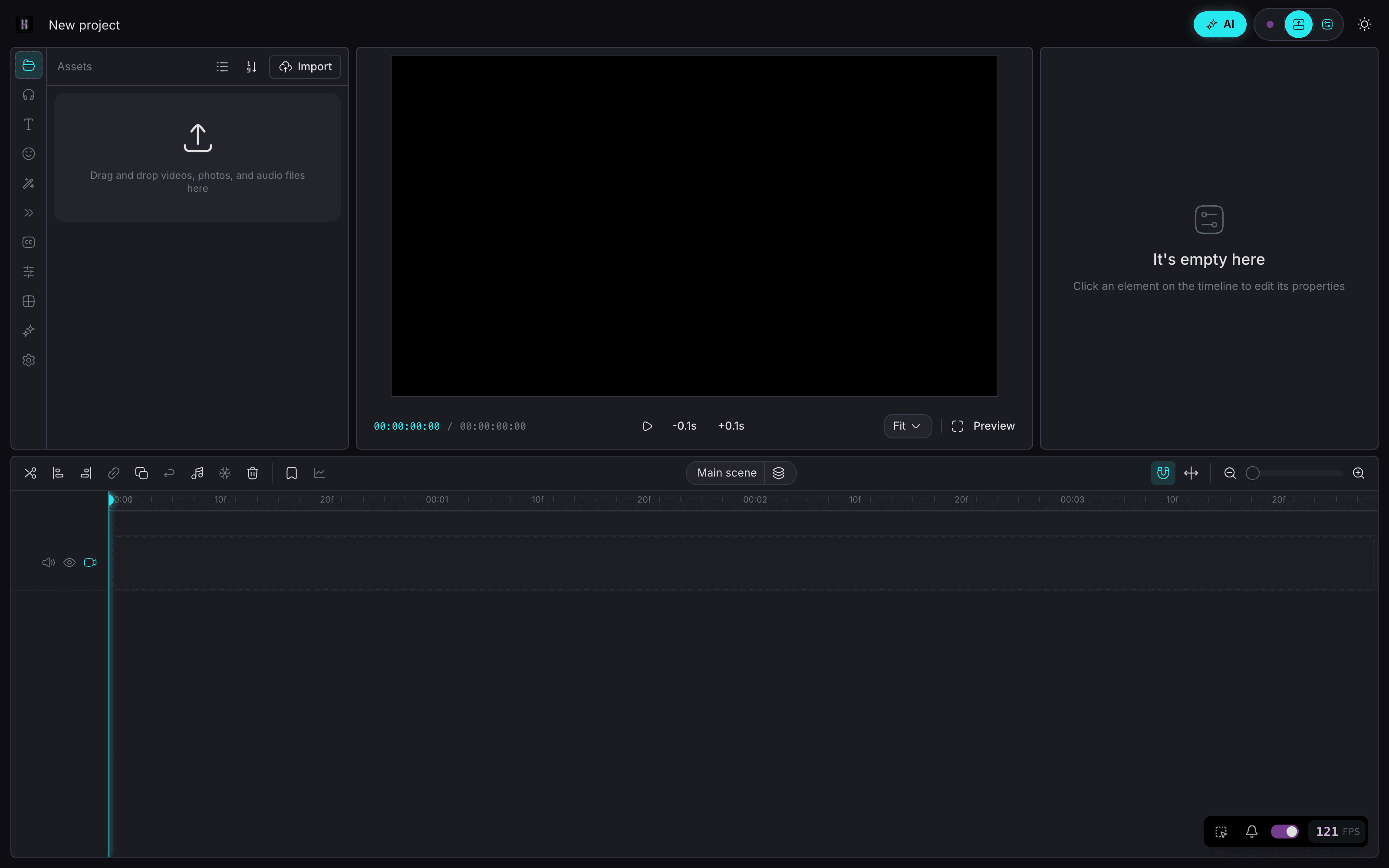
- Same mental model: timeline, clips, export
- Chat when you want speed; timeline when you want control
- Ask mode = read-only Q&A over your footage (no accidental edits)
- Edit mode = reviewable workflows you approve step by step
- Chat → generate images & video on your machine — no per-gen bill
Ein Projekt
Am Phone starten. Am Desktop fertigstellen.
Core agent runs on your devices. Chat to generate images on iPhone and video on Mac — on your hardware, without paying per generation. Keep projects local-first. Sync only if you want the same project on phone and desktop.
- On-device chat agent on iPhone, Android, Mac, and Windows
- Chat to generate images on your own machine — while you edit
- Chat to generate video locally on Mac — no cloud meter
- Local-first media — your files stay on device by default
- Cross-device projects when you sign in (optional)
Chat-Modus
Erst fragen. Schneiden, wenn du bereit bist.
01
Ask what's in your footage
Read-only Q&A — explore clips without touching the timeline.
02
Switch to Edit — get a numbered plan
Describe the cut, stock, or image/video to generate. Review before anything runs.
03
Run one step, several, or all
Approve what you want — including on-device gens. Undo anytime.
04
Export free, no watermark
Ship when the timeline looks right. Local gen didn't meter you.
Preise
Schneiden ist kostenlos. Pro kostet $59 pro Jahr.
Editor für immer kostenlos, ohne Wasserzeichen. Pro ergänzt Cloud-Sync, tiefes Editing-Gedächtnis und den vollen Talk-to-Edit-Agenten.
Kostenlos
$0
- —Editor im CapCut-Stil
- —Multitrack-Timeline-Schnitt
- —Export ohne Wasserzeichen
- —Chat → Bild- und Videogenerierung auf dem Gerät
Pro · Founder-Rate
$89$59 pro Jahr
- —Cloud-Sync über alle deine Geräte
- —Tiefes Editing-Gedächtnis + benannte Muster
- —Voller Talk-to-Edit-Agent
- —Founder-Rate lebenslang
Oder $10.99 pro Monat. Lifetime einmalig $300.
Founder-Rate lebenslang garantiert — sie bleibt bei $59/Jahr, solange du das Abo behältst. Jederzeit kündbar. Generierung läuft auf deiner eigenen Hardware, also ohne Gebühren pro Generierung.
Open the timeline. Talk the busywork away.
Für immer kostenlos schneiden & exportieren
FAQ
CapCut ist ein starker Editor. HakoCut behält dieses vertraute Gefühl und ergänzt Talk-to-Edit auf einer echten Multitrack-Timeline — kostenloser Export ohne Wasserzeichen.
Nein. Ask-Modus ist schreibgeschützt. Edit liefert einen Plan zur Prüfung. Schritt für Schritt oder auf einmal. Jederzeit rückgängig.
Ja. Beschreibe es im Chat. Bildgenerierung kann on-device auf dem iPhone laufen; Video lokal auf dem Mac. Lokale Läufe berechnen nicht pro Generierung.
Ja für den Kern-Agenten auf Phone und Desktop. Bilder auf dem iPhone. Video lokal auf dem Mac; andere Plattformen können API-Keys nutzen.
Lokale Bild- und Videogenerierung wird nicht pro Generation abgerechnet. Optionale Cloud kann deine API-Keys nutzen. Export bleibt kostenlos ohne Wasserzeichen.
Ja. Kein Wasserzeichen.
Standardmäßig local-first. Sync ist opt-in bei Anmeldung über Geräte.
HakoCut baut auf einer OpenCut-/CapCut-ähnlichen Basis, damit der Editor vertraut wirkt und die Lernkurve flach bleibt.
Ja. Pro kostet $59/Jahr zur Founder-Rate oder $10.99/Monat. Die Founder-Rate gilt lebenslang, solange du das Abo behältst. Schneiden und Export bleiben für immer kostenlos, und eine einmalige Lifetime-Lizenz für $300 gibt es auch.